Ask who calls a Salesforce org and the answer is the architecture diagram: the middleware, the loyalty platform, the data pipeline. Ask the event log files and the answer is longer, and some of it runs under names that belong to people.
An integration that authenticates as a named user inherits everything that user can see and do. It holds a full seat. It shows up in the licence cascade as one of your most active employees. When that person leaves, the integration either breaks or, worse, keeps the account alive. None of it is visible from the user list.
Start from the traffic, not the diagram
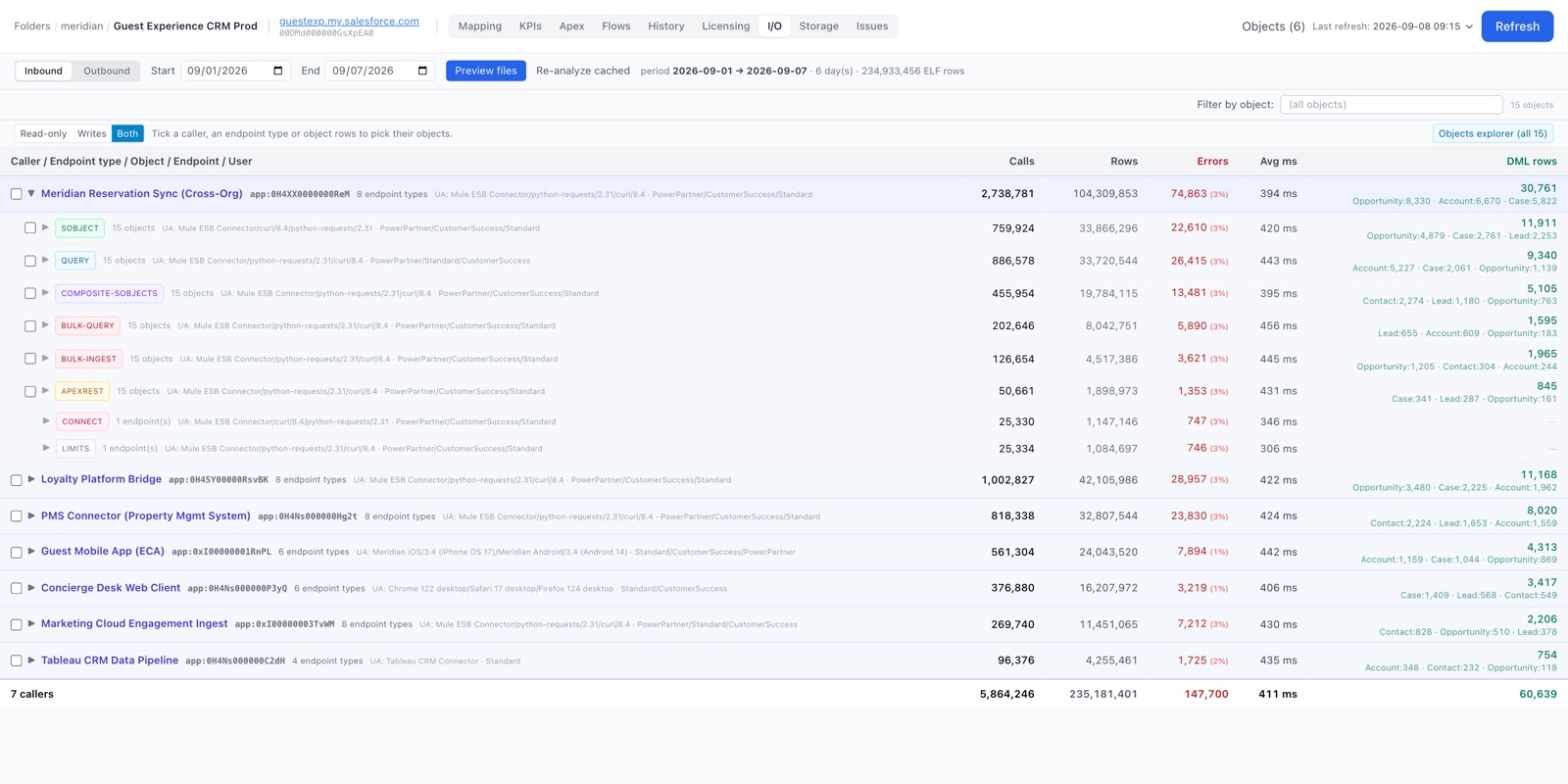
The I/O view reads the org’s inbound API traffic from the event log files and ranks it per caller: calls, rows, errors and latency, down to endpoint type, object and user. In the demonstration estate, seven connected apps account for 5.9 million calls and 235 million rows in six days. The finding is rarely the volume itself. It is that the list of callers and the list of integrations you think you run are not the same list.
Then look for writers who never log in
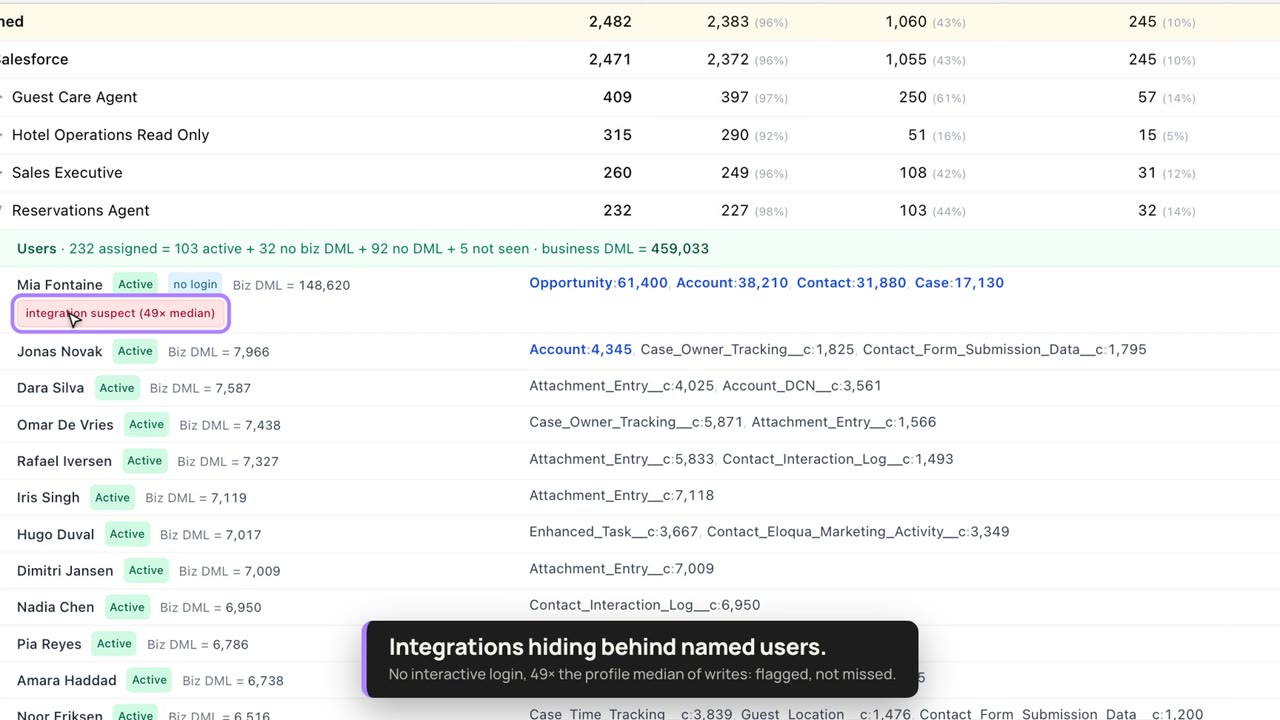
The DML drill classifies every user by what they actually wrote in the window. Within each profile, a user whose business writes sit far above the profile median is flagged as an integration suspect, and a separate tag marks anyone who wrote without a single interactive login. In the demonstration org, one Reservations Agent account wrote 148,620 business records in seventeen days, 49 times its profile’s median, without a single interactive login.
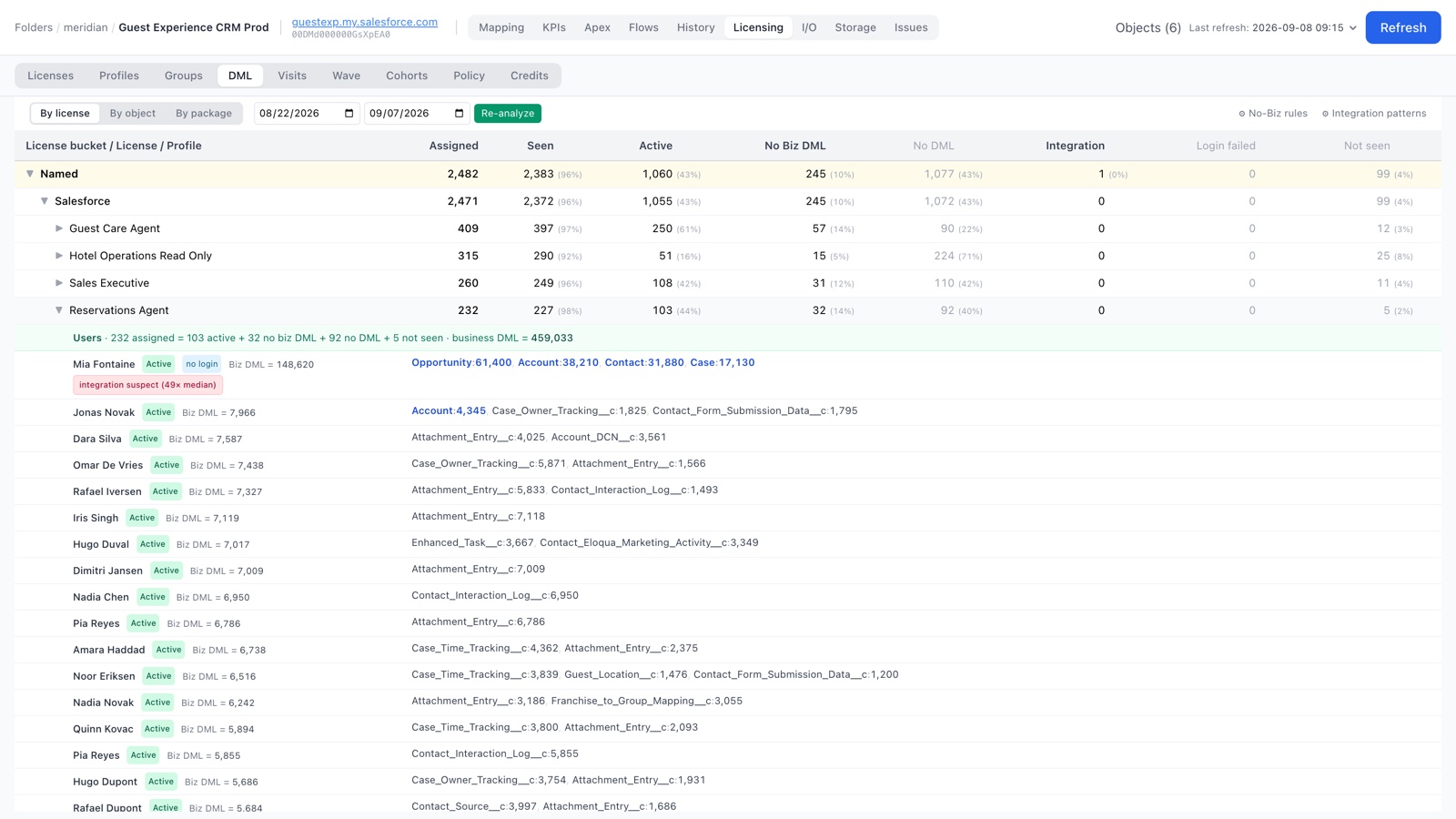
A suspect is a question, not a verdict: a bulk-loading team lead can look the same. The qualification is short. Does the account log in interactively? Does its user agent read like a person or a connector? Does its write pattern follow office hours? When the answers point to a machine, the remedy is known: move it to a dedicated integration user, with an API-only licence and least-privilege permissions, and free the named seat.
And look at what the integrations leave behind
Integrations upload files too, and so do people debugging them. The storage view reads file metadata only, never the content, and sorts what is stored by type and age. Unfinished downloads and executables are junk at best. HAR captures, saved from a browser while troubleshooting, can carry session cookies and tokens. In the demonstration org, 722 such files are still stored.
Where to go next
The diagnostics page gives the detection method and the remedy for integration and I/O suspects, and the documentation shows how the I/O view reads the event logs.
Figures are from the synthetic Meridian demonstration estate, not customer results.