Stood Flows · visits · objects explorer · new
Who opens what, and which objects are worth their storage
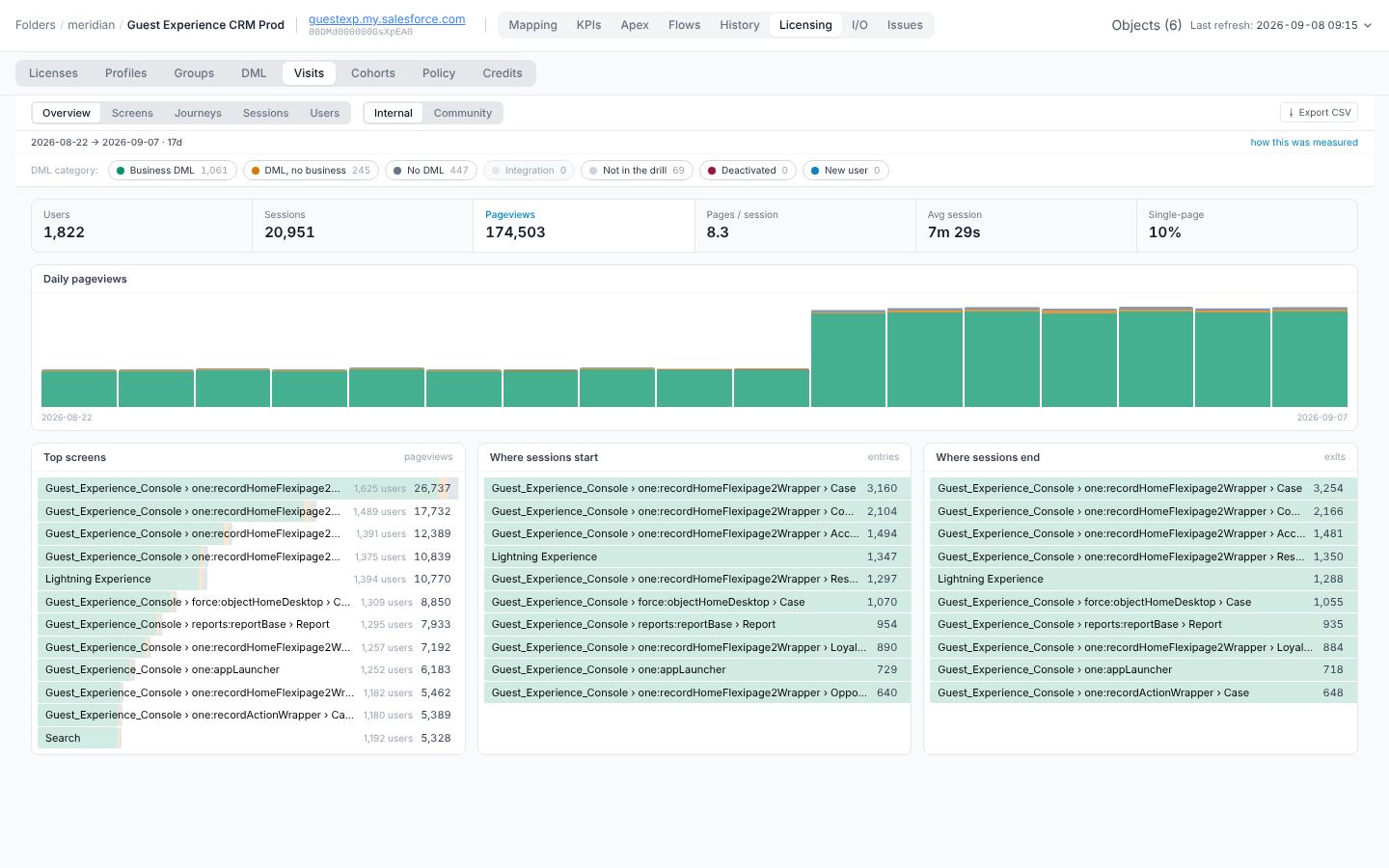
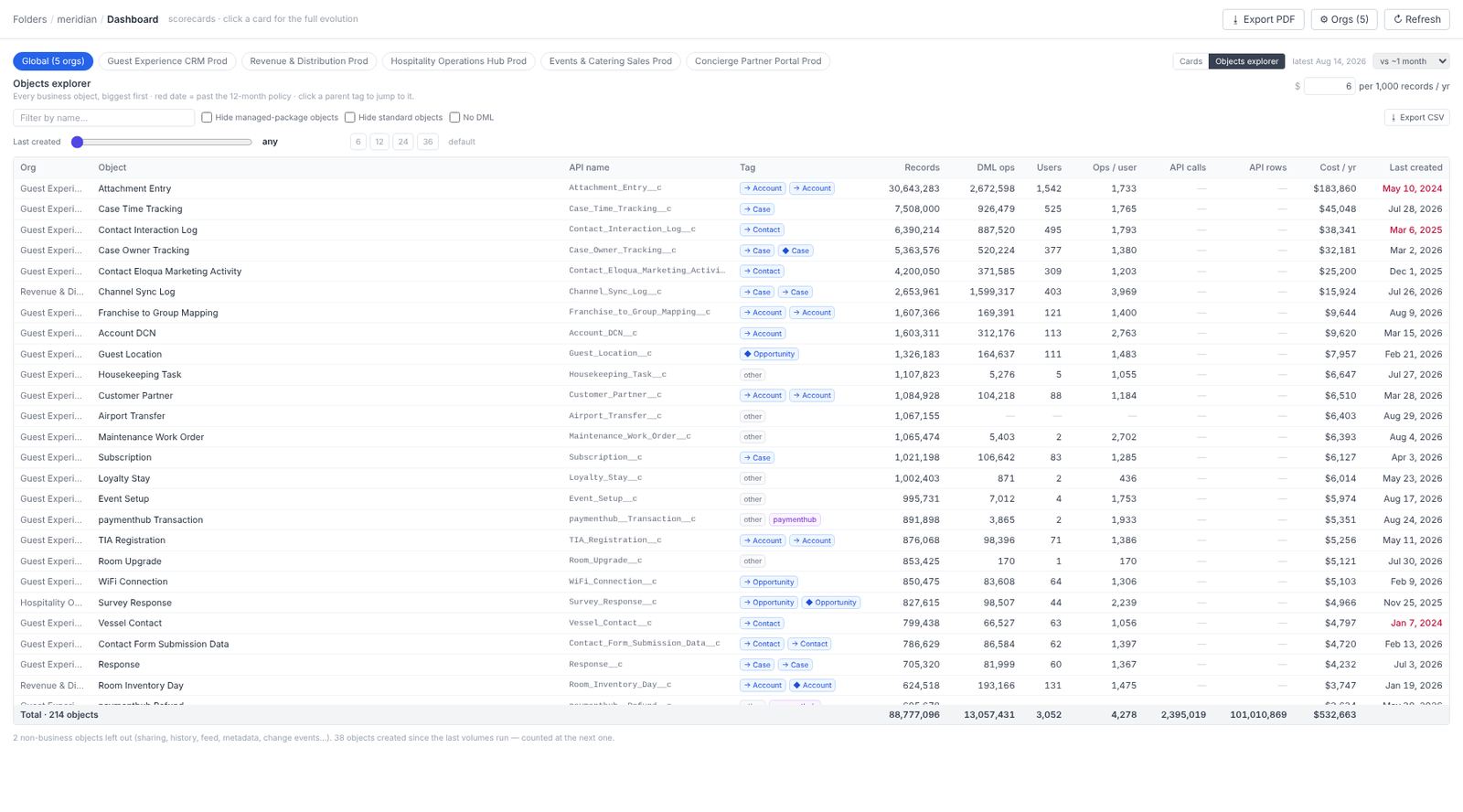
Licences say who may use the CRM. Visits says who actually opens it, on which screens, and whether they write anything once there. The Objects explorer turns the same evidence around: every object the org carries, biggest first, with the people, writes and cost attached.
Visits: from event logs to a population you can act on
Salesforce event log files record page views, searches, reports and logins. Visits picks the event types by measured coverage per population (users seen ÷ users who logged in), so Classic, Lightning and portal orgs all work without configuration, and prints that coverage on every view. A population the sources cannot see reads unobservable, never "no activity".
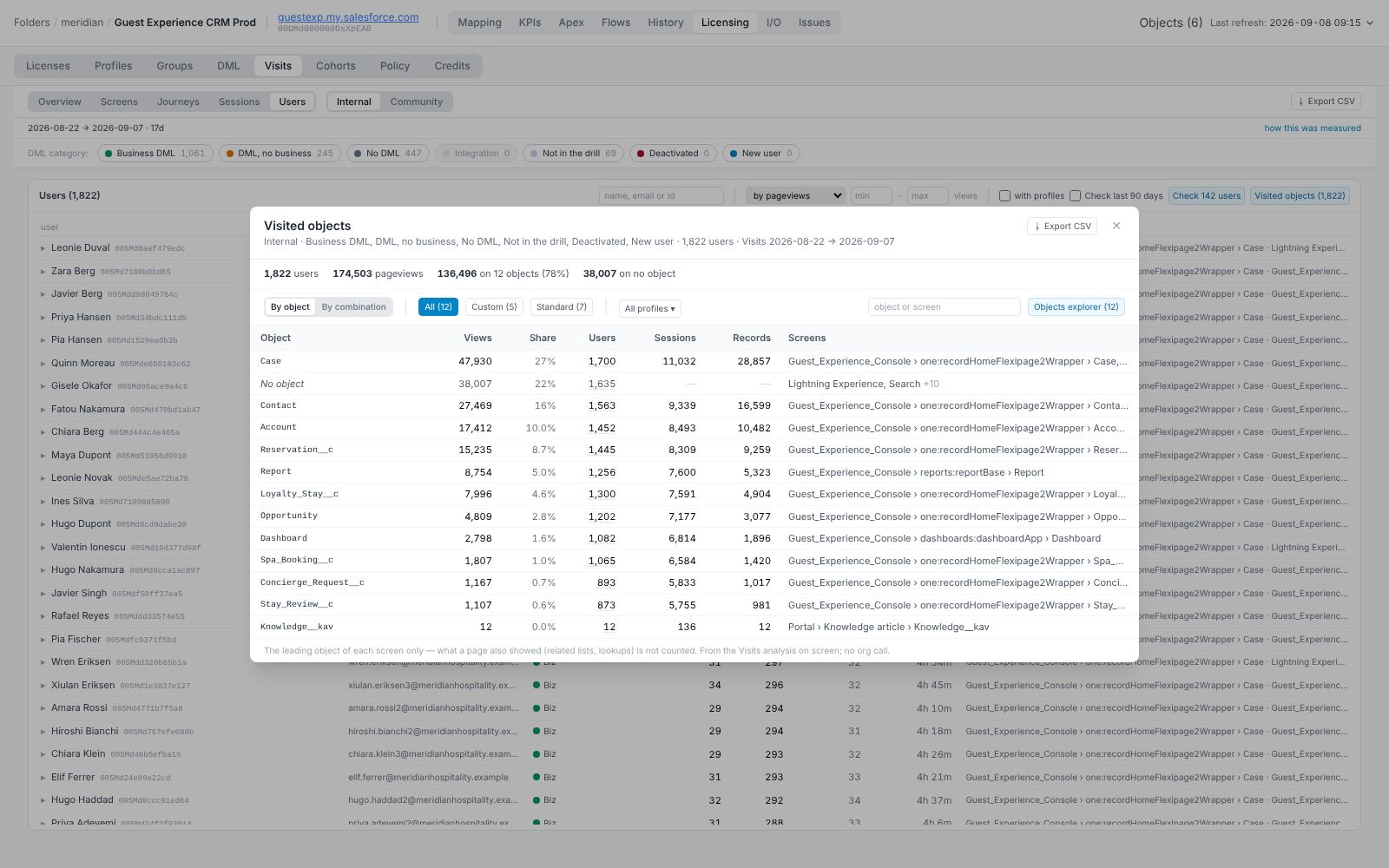
Object exposure: from screens to objects
Each screen keeps its object. The Users card now offers Visited objects: for every object, views, share of all views, users, sessions, records and screens, with custom/standard and profile filters and a CSV export. One click hands that list to the Objects explorer, where a Visits column joins the storage and write evidence.
| Org | Object | Tag | Records | DML ops | Users | Visits | API calls | Cost / yr | Last created |
|---|---|---|---|---|---|---|---|---|---|
| Guest Experience | Guest_Interaction_Log__c | telemetry | 25,912,440 | 1,048,900 | 1 | 0 | 1,048,900 | $155,475 | today |
| Guest Experience | Opportunity | backbone | 4,153,111 | 311,207 | 1,214 | 88,410 | 12,004 | $24,919 | today |
| Guest Experience | Guest_Event_Analytics__c | telemetry | 3,206,118 | 0 | 0 | 0 | 0 | $19,237 | 2023-02 |
| Guest Experience | Contact | backbone | 2,744,002 | 190,338 | 1,102 | 61,220 | 40,112 | $16,464 | today |
| Revenue & Distribution | Rate_Sync_Entry__c | managed · ratesync | 1,980,440 | 402,118 | 2 | 0 | 402,118 | $11,883 | today |
| Guest Experience | Spa_Waitlist__c | custom | 412,009 | 0 | 0 | 84 | 0 | $2,472 | 2021-11 |
| Operations Hub | Property_Audit_UAT__c | custom | 38,118 | 0 | 0 | 0 | 0 | $229 | 2022-06 |
| Events & Catering | Banquet_Order__c | custom | 9,206 | 3,114 | 41 | 6,302 | 0 | $55 | today |
Big, written by one user, visited by none
A telemetry table filled by an integration at one row every three seconds, never opened by a human. Ask who reads it, and where. Usually the answer is a warehouse that already has the data.
Millions of records, zero DML, last created years ago
Storage paid for monthly for an object nobody writes or opens. The stale-object verdict (12 months idle by default policy) counts it as a stale-object candidate.
Object families
Stay, Stay_Log, Stay_Analytics, Guest_Stay_Event. Near-duplicate names are the trace of successive projects. The explorer sorts by name on demand so the family shows up together.
Where the numbers come from
Records come from the record-count endpoint and one COUNT per non-empty object when the object-volumes step is enabled (off by default; one SOQL per object). DML and API figures come from the same event logs the licence drill uses. Visits come from the aggregates above. All of it is read-only and stays in the workspace folder on the auditor's machine, shared on the customer's own S3 or GitHub if they choose to.
In the app
Captured from the application itself, built from the current source tree and opened read-only on the Meridian demonstration workspace.