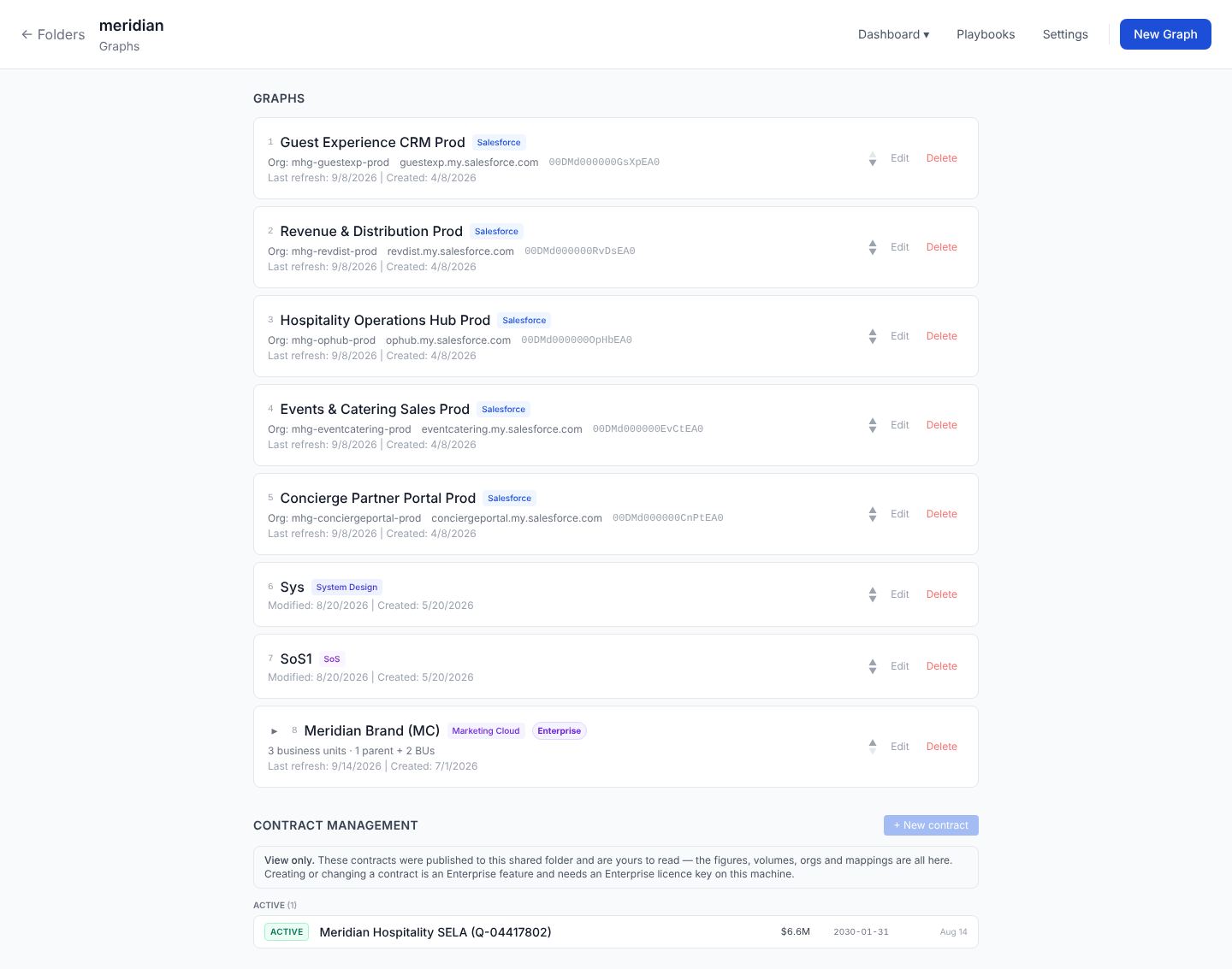
A Marketing Cloud folder mirrors the account’s own shape: one enterprise at the top, its business units nested beneath. You don’t configure this. Stood Flows reads the hierarchy out of the account and builds the folder to match.
The parent is the enterprise, the children are its BUs
The folder groups every graph that belongs to the same enterprise. The parent graph is the enterprise business unit — the top-level BU whose id is the enterprise id. Every other graph is a child business unit whose parent points back to that enterprise. Open the parent to see the whole account rolled up; open a child to see one business unit on its own.
The enterprise card shows the full count: a folder with four business units reads as 5 business units · 1 parent + 4 BU, so there’s no guessing whether the parent is counted.
Why it’s derived, not configured
Two business units with the same connector share an account; a parent and child share an enterprise id. Those relationships already exist in the account, so reading them is more reliable than asking you to draw them. It also means a BU can’t end up in the wrong folder — the data decides placement.
Working with the graphs
Under the enterprise card, each business unit is a graph you can open, reorder, or delete. Numbering restarts at the business units rather than continuing from the parent, so the first BU is 1. Deleting a business unit graph removes that graph only; the enterprise and its other BUs stay put.
The Dashboard button opens the enterprise dashboard — the rolled-up view across every business unit in the folder. See The Marketing Cloud dashboard.